
Your stream. Just turned up to 100.
Scenes, alerts, chat, goals and a hype meter in one app, live-linked to OBS. Click a design and your whole stream gets a fresh look instantly. For Twitch, YouTube, Kick and TikTok LIVE, landscape and portrait.
Windows 10 and 11 · free · no account · live in OBS in two minutes
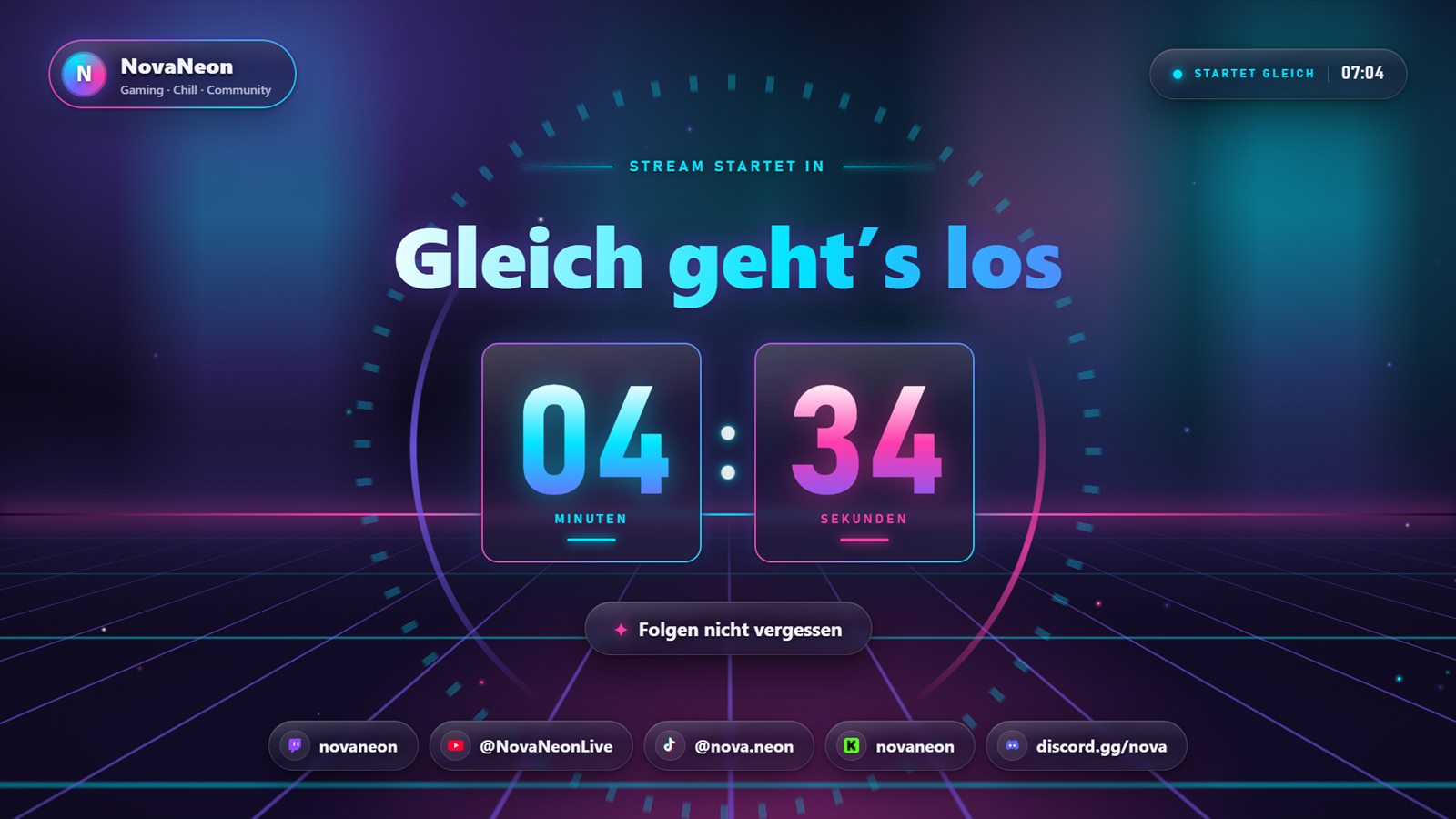
Live preview of the overlays
Why streamers switch to GlowCast
One click, brand-new look
18 designs from Neon Synthwave to Art Deco Gold. One click switches Starting, Break, In-game, chat, alerts and Ending all at once. No piecing things together, no mess.
Your chat celebrates with you
Every follow, sub, raid and gift gets its big moment. Goal bars and the hype meter show live how close you are to the next milestone and pull your chat into the action.
Every platform, one app
Twitch, YouTube, Kick and TikTok LIVE in one chat and one alert feed. For TikTok and Shorts, every overlay also comes in 9:16 portrait.
Pay once, stream forever
No subscription, no account, no ads in your overlays. GlowCast runs on your PC and keeps itself up to date.
Live in two minutes
Install GlowCast
Run the installer and click “Install”. No admin rights, no account.
Pick your design
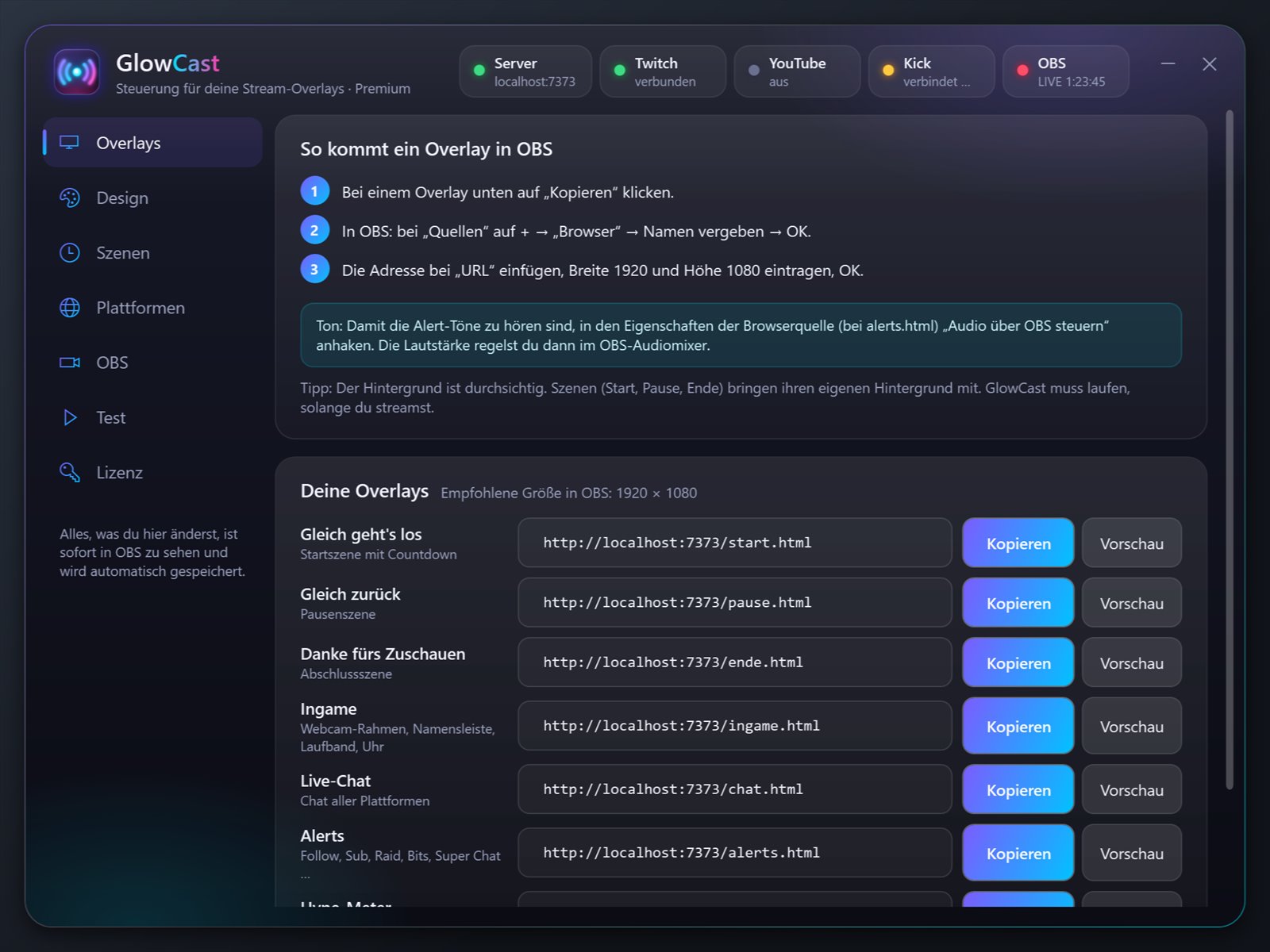
Click a design, enter your name, connect your platforms. Then click “Copy” next to an overlay.
Drop it into OBS
Paste it as a browser source and you’re done. With Premium, GlowCast builds all your scenes in OBS with one click.
Start free. Go Premium when you want it all.
Basic costs nothing and never expires. Premium is yours for a one-time Price coming soon, no subscription, all updates included. Your settings come with you.
| Basicfree, no key needed | PremiumPrice coming soon | |
|---|---|---|
| Design | ||
| Designs | 4: Neon Synthwave, Clean Glass, Swiss Grid, Paper Cut, plus one Premium design free every month | all 18 |
| Color themes | all 5 | all 5 |
| Custom colors | not included | included |
| Motion | calm: scenes stay still, alerts and chat fade in gently | every animation, particle and effect |
| Live reactions to hype and alerts | not included | included |
| Scenes and overlays | ||
| Starting, break and ending scenes with countdown | included | included |
| Live chat and alerts | included | included |
| In-game layout with webcam frame, ticker and clock | not included | included |
| Hype meter | not included | included |
| Offline banner with schedule | included | included |
| Labels (latest follower, sub, top donation …) | included | included |
| Just Chatting, event list, goal bars | not included | included |
| Transitions between scenes | not included | included |
| Your own alert sounds, images, GIFs and videos | not included | included |
| Channel graphics as PNG (panels, banners, offline image) | not included | included |
| Platforms | ||
| Twitch chat and alerts | included | included |
| Twitch login for follows, subs, bits and raids | included | included |
| Channel points, Hype Train, polls and predictions | not included | included |
| 9:16 portrait for TikTok LIVE and Shorts | included | included |
| TikTok LIVE directly via TikFinity (gifts, likes, shares) | included | included |
| YouTube | not included | included |
| Kick (official API) | not included | included |
| OBS | ||
| Add overlays by URL | included | included |
| One-click setup and scene control | not included | included |
| Automation when your stream starts and ends | not included | included |
| Control panel as an OBS dock | not included | included |
| Download free | See Premium | |
Want it fully in your branding?
We build GlowCast in your colors, with your text and alert sounds, plus panels, banner and offline image for your channel. You sit back, we deliver everything ready to go, with instructions.
Frequently asked questions
What do I need?
A PC with Windows 10 or 11 and OBS Studio. No account, no credit card.
How much is Premium?
Price coming soon once. No subscription, no hidden costs, updates included. Enter your license key in the app and Premium unlocks instantly.
Can I try it first?
Of course. Basic is free with no time limit, and every month you get one Premium design on the house. Everything you set up stays when you switch to Premium.
Does it work with TikTok LIVE?
Yes, directly through the free TikFinity app: gifts with diamonds, likes, follows, shares and chat land in your overlays, even in Basic. Every overlay also comes in 9:16 portrait.
Does GlowCast work offline?
The overlays do. Chat and alerts from Twitch, YouTube and Kick need a connection, of course.
Can you design something just for me?
Yes, as a Custom Design for €50: colors, text, alert sounds and channel graphics to match your logo.
Ready for your best stream yet?
Get GlowCast free and make your next stream impossible to scroll past. Add Premium whenever you like, your settings stay.